How to file TM30 online with the Excel file, step by step
The Excel import on the immigration website files many foreign guests at once. Here is every step, with real screenshots.
Before you start
- An account on the immigration TM30 system (tm30.immigration.go.th)
- Your property address added to the system with status “Approved”
- Your guests' passport details, or an Excel file already filled in
Screens may look slightly different if immigration updates the website.
Steps
-
Register and add your property (once)
Register at tm30.immigration.go.th. Once an officer approves you, your username and password arrive by email. Then add your property address and wait for the status to show “Approved”.
-
Prepare the Excel file
Use immigration's template (button “Download Example File” in the system) and fill in your guests, or let TM30Auto create the file from passport photos.
-
Choose the property and click “import Excel”
On the Inform Accommodation page, choose your property from the list and click “นำเข้า Excel / import Excel”.
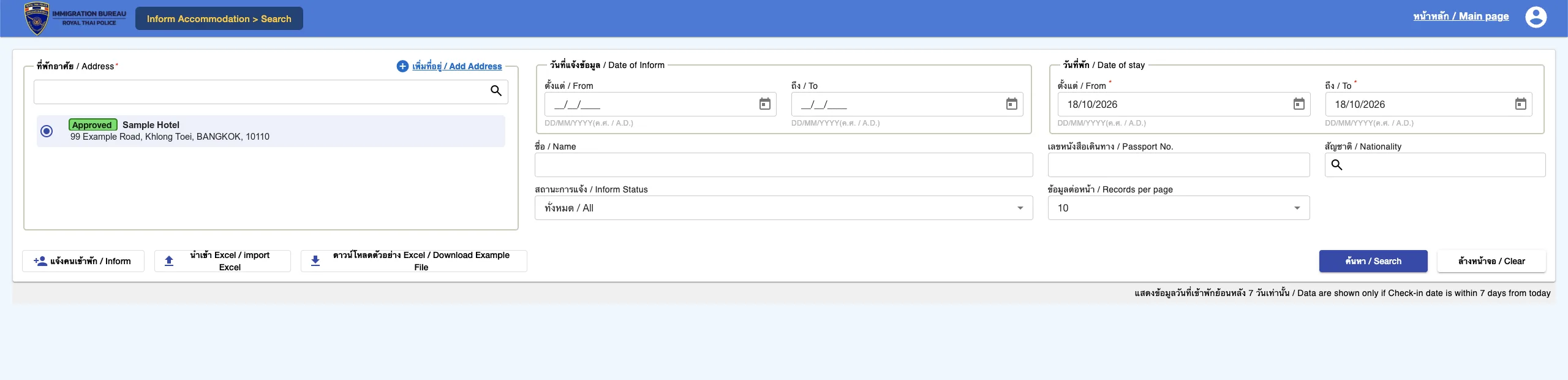
Real screenshot from the immigration website (sample property and guest data) -
Choose the property again and check the date
On the import page, choose your property and check that the “Check-in Date” matches the day your guests arrived.
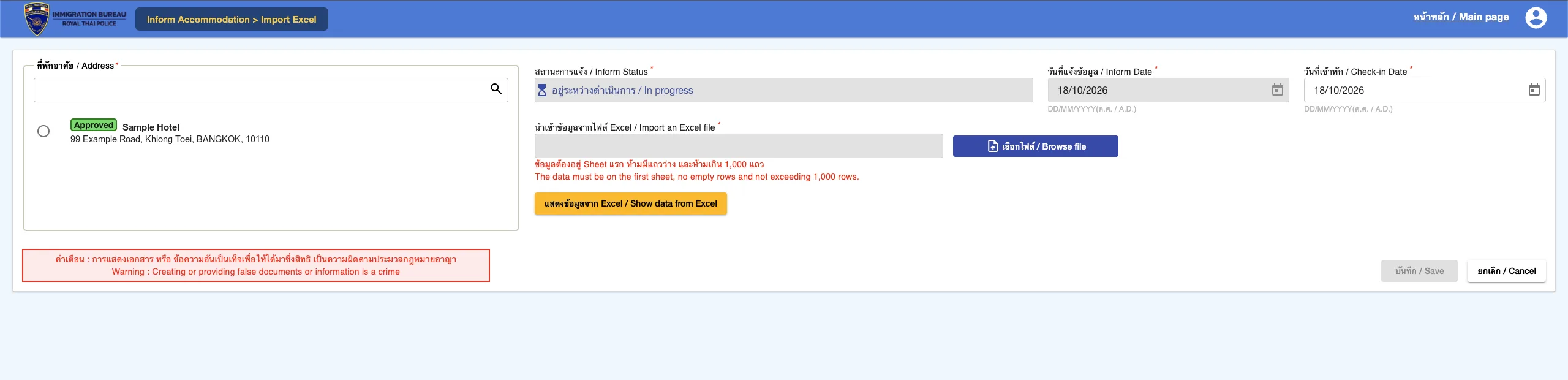
Real screenshot from the immigration website (sample property and guest data) -
Choose the file and show the data
Click “Browse file”, choose your Excel file, then click “Show data from Excel”. Data must be on the first sheet, with no empty rows and at most 1,000 rows. Rows with errors are highlighted in red: fix them in Excel and import again.
-
Review the list and save
Check the guest list, then click “บันทึก / Save”. You can check the result on the search page.
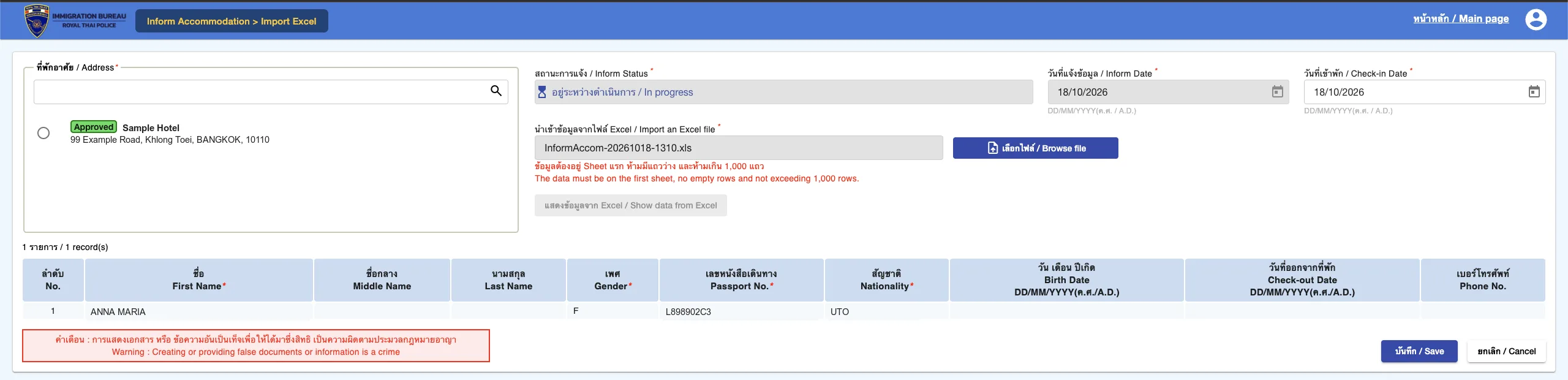
Real screenshot from the immigration website (sample property and guest data)
Common problems
- File rejected: check the data is on the first sheet, there are no empty rows between guests and the headers are unchanged.
- Invalid nationality: use the 3-letter codes from the template, such as GBR (not UK) and DEU for Germany.
- Passport numbers changed: format the column as Text so leading zeros are kept.
- Can't find an older record: the search page only shows check-ins from the last 7 days, so export your proof soon after filing.
Stop typing passport details by hand
Upload passport photos and TM30Auto reads the name, gender, passport number and nationality, then gives you the Excel file in immigration's template. It runs on your device and photos are never uploaded. 5 free scans a day.
This article is general information for accommodation operators, not legal advice. Immigration rules and websites can change. Check the latest requirements with your local immigration office.